Mac sounds
Your Mac makes about
six sounds. It could make 26.
Count the noises your Mac makes in a normal day. The startup chime if you left it on, an alert bloop, the screenshot shutter, maybe a Wi-Fi drop you noticed because something stopped loading. Everything else — plugging in, waking up, AirPods connecting, the battery finally hitting 100% — happens in silence.
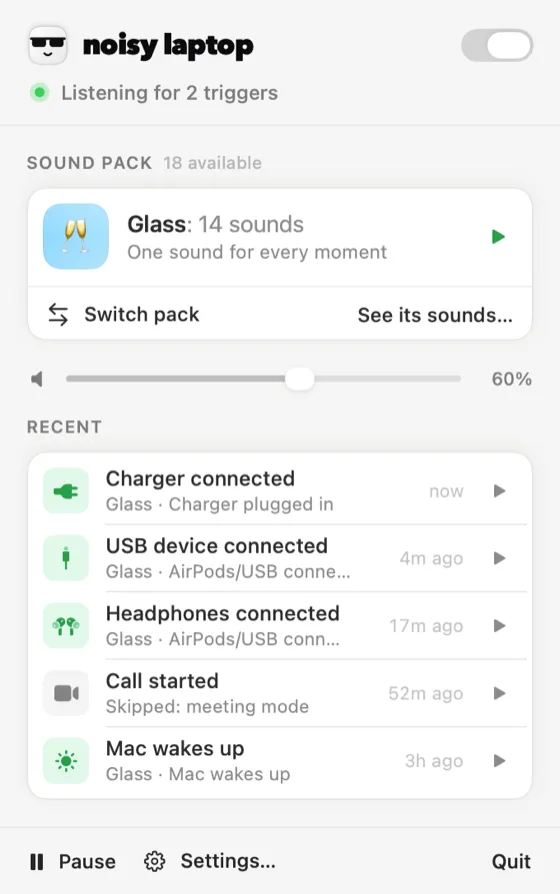
Noisy Laptop is a menu-bar app that fills those gaps. You pick a Mac event, you pick a sound, and from then on the event plays the sound. That's the entire idea. This page explains where each kind of Mac sound actually lives, so you know which ones you can change and which ones nobody can.
Free forever for the charger sounds. macOS 14 Sonoma or later · Apple Silicon or Intel.
First, the map
Three different things people mean by “Mac sounds”
Searches for this phrase land on three separate problems, and mixing them up is why the answers online are so unsatisfying. Here's the honest split, including the parts no third-party app can touch.
Hear the idea
One Mac moment, several personalities
Pick a moment on the left, then play it from a few different packs. These are the app's real clips, not web-only demos — what you hear here is what your Mac would play. Nothing starts on its own; you have to press something.
The one everybody tries first. It fires the moment your Mac switches to wall power.
Classic is the free pack. The rest come with Pro.
The raw material
26 events, in six groups
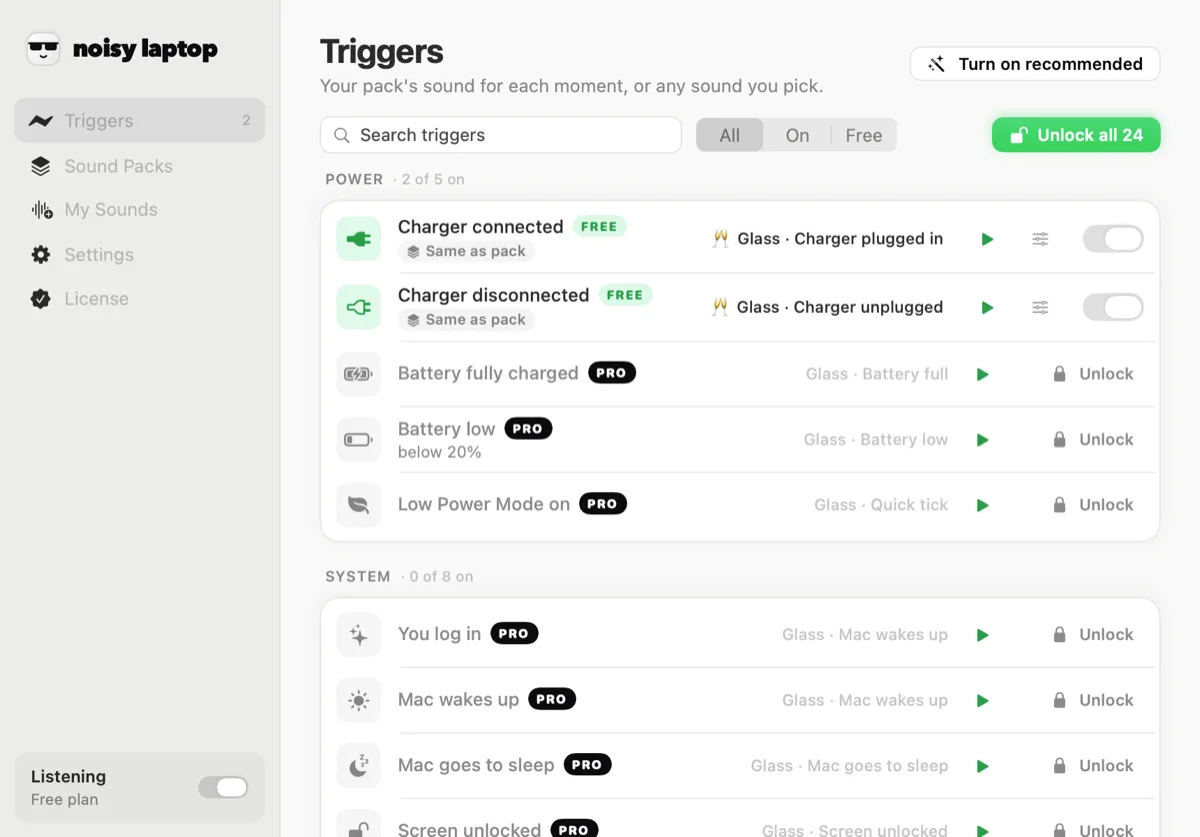
Every one of these is a real notification your Mac already sends. You switch on the ones you care about and ignore the rest — most people end up with five or six. The full table, with what each one plays by default, is on Mac system sounds.
Power
5 events
Charger connected · Charger disconnected · Battery fully charged · Battery low · Low Power Mode on
System
10 events
Mac starts up · Mac wakes up · Mac goes to sleep · Lid closed · Lid opened · Screen unlocked · Screen locked · Dark / Light mode · Switched Space · On the hour
Devices
6 events
USB device in · USB device out · AirPods connected · AirPods disconnected · Display connected · Display disconnected
Network
2 events
Back online · Went offline
Apps
1 events
App opened
Calls
2 events
Call started · Call ended
Pick your problem
What did you actually come here to change?
Each of these is its own page, because each one is a different question with a different answer.
- The charging soundWhat happens when a MacBook starts charging, and how to make that moment audible. The free one, and the one that went viral.
- Notification and alert soundsWhat you can genuinely change about Mac notification sounds, what you can't, and what to do instead.
- System soundsWaking, sleeping, locking, unlocking, drives, displays, Wi-Fi. All 26 events with their defaults.
- Your own audioWhich file formats the app takes, where clips are stored, and how to assign one clip to one specific event.
- All 12 sound packs234 clips, playable right on the page. Lo-fi to laugh track to full arcade.
- The laptop moanThe TikTok one. How the charging trigger makes it work, and how to set it up without embarrassing yourself in a meeting.
Getting started
Three steps, about a minute
There is no account, no onboarding survey and no permission dialog. The first thing that happens is a sound.
- Step 1
Install and open it
Download the .dmg, drag it to Applications and launch it. It appears in the menu bar — that's the whole interface. - Step 2
Plug your charger in
That trigger is on by default and free forever, so you hear the app work before you've changed a single setting. - Step 3
Open Triggers and tune it
Switch on the events you want, and pick the sound for each. Packs give you a whole set at once; your own clips go in the same menu.
Straight answers
Questions people ask first
What can trigger a sound?
26 Mac events, in six groups: Power, System, Devices, Network, Apps and Calls. Each one can be switched on or off on its own, and each one gets its own sound. The full list is on Mac system sounds.
Can it change the sound of macOS notifications?
No — and nothing else can either. Banner and alert sounds belong to macOS and to each app. What Noisy Laptop adds is sound for the hardware and system moments macOS is usually silent about. The honest, longer version is on Mac notification sounds.
Can I use my own sounds?
Yes, with Pro. The app has a My Sounds pane: drop in m4a, mp3, wav, aiff or caf files and they show up in the sound menu for any trigger, alongside the packs. Clips are copied into ~/Library/Application Support/Noisy Laptop/CustomSounds/ and never leave your Mac. More on using your own audio.
Does it run in the menu bar?
Yes. It's a menu-bar app with no Dock icon (LSUIElement, if you like that sort of detail). The menu shows what it last played and lets you mute, pause for a while, switch packs or open the main window.
Is Noisy Laptop free?
The download is free and stays free. Free covers Charger connected and Charger disconnected with the Classic pack — no time limit, no account, no nagging. Pro is a one-time $6.99 for the rest. What's in each.
Which versions of macOS are supported?
macOS 14 Sonoma or later · Apple Silicon or Intel. It's a universal build, so it runs natively on Apple Silicon and on Intel Macs. There's no version for macOS 13 or earlier.
More of these on the FAQ page.
Turn the quiet parts up.
Install it, plug in your charger, and you'll know within ten seconds whether this is for you. The charger sounds never expire.
macOS 14 Sonoma or later · Apple Silicon or Intel · Noisy Laptop Pro is $6.99, once, if you want the rest.