MacBook charging sound
Plug in.
Hear something good.
A MacBook gives you almost nothing when it starts charging: a battery icon that changes shape, a tiny LED on MagSafe if your machine has one, and on recent versions of macOS a short chime. One chime. The same one, forever, with no setting to change it.
Noisy Laptop replaces that half-second with anything you like — a crystal clink, a duck, a cartoon boing, a Rhodes chord, a clip you recorded yourself. The two charger triggers are the free part of the app, so this specific thing costs nothing, ever.
Both charger triggers are free forever. No account, no permission prompts.
Try one now
This is what plugging in could sound like
Real clips from the app. Nothing plays until you press it.
The mechanics
What actually happens when a MacBook starts charging
Worth knowing, because it explains why an app can do this at all and why it reacts instantly rather than polling every few seconds.
The second the charger seats, your Mac stops running on battery and starts running on the adapter. macOS notices immediately and tells the whole system: the power source changed. That announcement is what turns the battery icon into a bolt, what wakes the Battery menu, and what a third-party app can subscribe to. There is no polling and no guessing — the event is pushed.
What macOS does with that moment is deliberately minimal. Recent versions play a brief charging chime on MacBooks, borrowed from the iPhone. It is a single fixed sound, it isn't offered in System Settings, and there is no list to pick a different one from. For most people the first time they think about it is when they want it to be something else.
That chime is also why Noisy Laptop has a switch labelled Mute Apple's charging chime, on by default: without it you'd hear two sounds on every plug-in, Apple's and yours, half a beat apart. Turning the switch off puts the original setting back, and so does quitting the app — it restores whatever your Mac had before it was installed.
Noisy Laptop listens for exactly that power-source announcement and plays your clip. It also hears the reverse — unplugging — which is a separate event with its own sound, and the one people underestimate. A falling note when the cable pops out of a wobbly USB-C port has saved a lot of people a dead laptop.
Seven to try
Charger sounds, from tasteful to unhinged
These are the actual connect clips from seven of the twelve packs — the sound each one plays when the charger goes in. Press one. The first three are the ones most people keep; the last three are the ones they show their friends.
That's seven of twelve. The rest — including the one you're already thinking of — are on the sound packs page, where you can play every moment of every pack. And yes, that one is real.
Setting it
Four steps from download to first plug-in
No account, no permission dialog, nothing to configure before you hear something.
- Step 1
Install it
Grab the .dmg, drag it to Applications, open it. It goes straight to the menu bar. - Step 2
Plug in once
“Charger connected” is on out of the box with the Classic pack, so you hear it working before you've touched a setting. - Step 3
Open Triggers
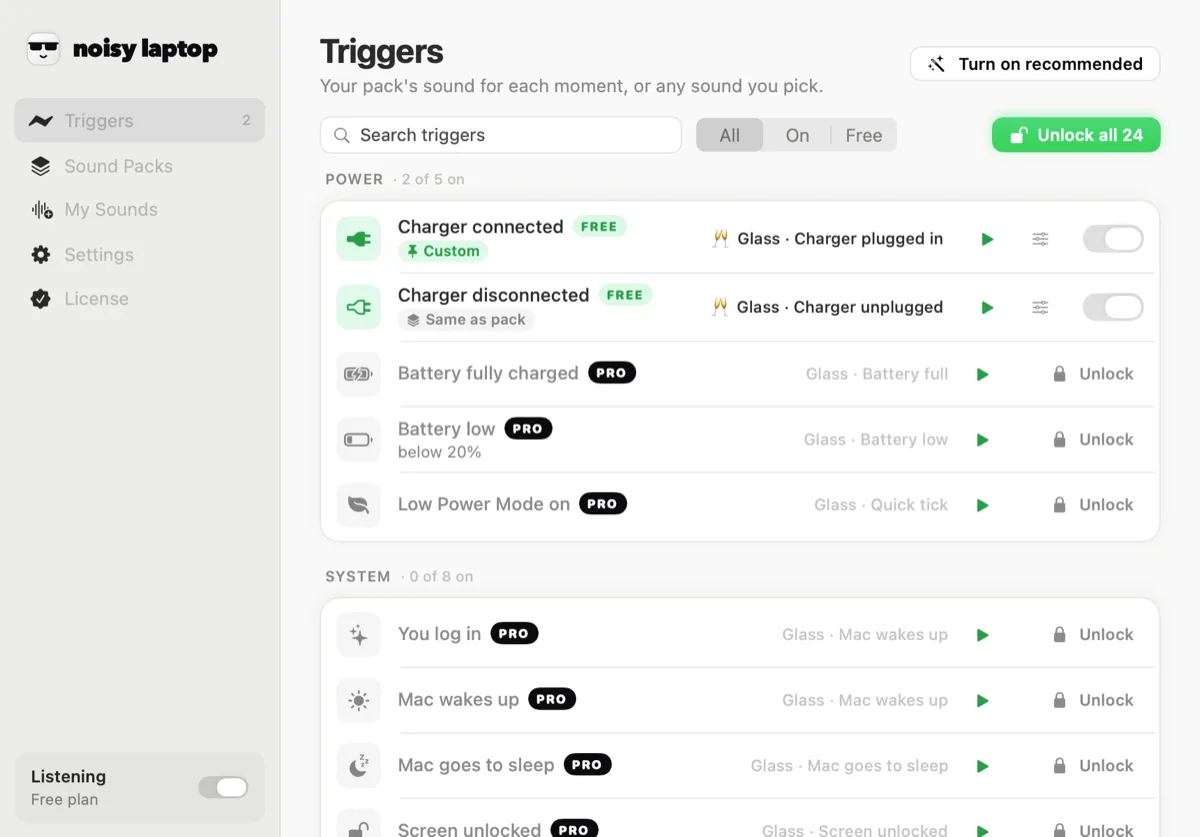
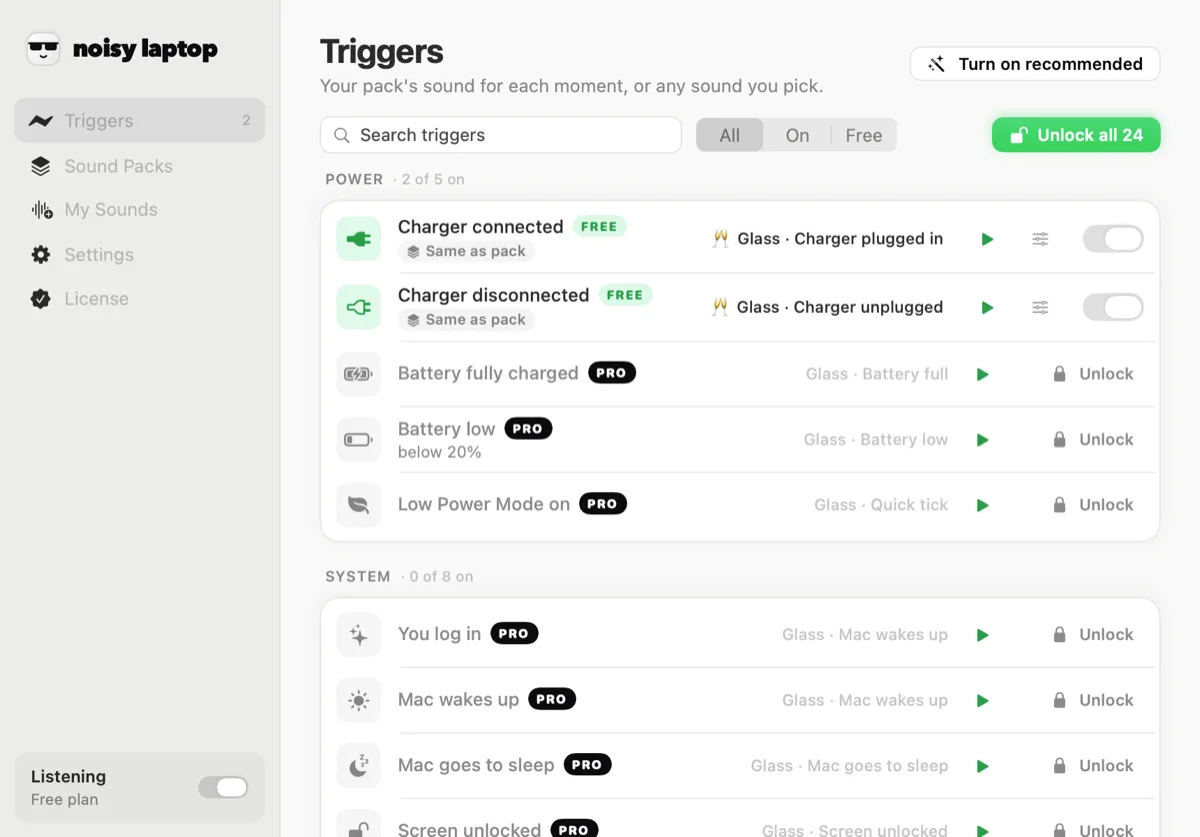
Find the Power group. The first two rows are the charger, in and out. Each row has a switch, a sound menu and its own volume. - Step 4
Pick your sound
Choose a clip from any pack, or one of your own files. Previewing is always allowed, even on packs you haven't bought.
The other half
Unplugging deserves a sound too
People set up the plug-in sound first and then discover the unplug one is the useful one. If you work from a hub, a dock or a charger with a tired cable, a falling note the moment power drops is a genuine safety net.
The disconnect trigger fires when your Mac goes back to battery — someone kicks the cable, the hub loses power, the adapter isn't really in the wall. On a desk with three cables going into one port, that is information you want without looking at the menu bar.
Most packs pair the two deliberately: a rising gesture in, a falling one out, so you can tell them apart across a room. The Cartoon pack does it with a boing and a slide whistle. Hype Man does it with “Okay!” and a record scratch.
If you want a louder warning than a sound effect, pair the disconnect sound with battery low, which is a separate event with its own threshold.
Charger out
Reasons that aren't “it's funny”
Why a charging sound is actually useful
You know the port took
USB-C ports wear out and cables get lazy. A sound tells you the connection seated without turning the laptop round to check the icon.
Hubs lie
A dock that's passing data but not power looks identical from the outside. Silence when you plug in is the tell.
Lid closed, bag open
Docking a sleeping MacBook on a desk stack: you hear that it's charging without opening anything.
Shared chargers
In a house with one good adapter, you hear when someone quietly moves it to their own machine.
It marks the moment
Plugging in is one of the few physical things left in a day of software. A sound makes it feel like something happened.
It's genuinely funny
Which is a real reason. The duck has kept more people using this app than any of the sensible ones above.
Your own recording
Use a clip nobody else has
With Pro, the charger sound can be a file you supply: a voice memo, a line from a film you own, your kid saying “plugged in”, four seconds of a song you made. The app takes m4a, mp3, wav, aiff and caf, copies them into its own folder and lists them in the same menu as the packs.
Short works better than clever. Anything over about two seconds stops being a notification and starts being a jingle you have to sit through every time you sit down.
Full details, including where the files live and how to swap one out: custom Mac sounds.
Charging questions
The things people ask before downloading
How do I change the sound my Mac makes when it starts charging?
macOS has no setting for this, so you need a small app that watches the power source. Install Noisy Laptop, open Triggers, and pick a sound for “Charger connected”. The next time you plug in, that's what plays. Both charger triggers are free — see MacBook charging sounds.
Is Noisy Laptop free?
The download is free and stays free. Free covers Charger connected and Charger disconnected with the Classic pack — no time limit, no account, no nagging. Pro is a one-time $6.99 for the rest. What's in each.
Will this get annoying?
It's built so it doesn't. Only 13 of the 26 events are on to start with, each has a cooldown, and device and network events are ignored for a few seconds after your Mac wakes — that burst is macOS reconnecting, not you.
There's also a whole Settings section for this. Meeting mode is on out of the box and keeps the app quiet whenever your camera or microphone is in use. Quiet hours silences it between times you set. Only play through headphones does what it says. And the menu bar has a mute and a pause.
Can I use my own sounds?
Yes, with Pro. The app has a My Sounds pane: drop in m4a, mp3, wav, aiff or caf files and they show up in the sound menu for any trigger, alongside the packs. Clips are copied into ~/Library/Application Support/Noisy Laptop/CustomSounds/ and never leave your Mac. More on using your own audio.
Is the moaning charger sound real?
Yes — it's the Moan pack. Cheeky on plug-in, giggles and sighs for everything else. It's flagged as adult humor in the app, it's never the default, and it only plays if you pick it. Hear it and set it up.
Does Noisy Laptop work on a MacBook?
Yes. It runs on any Mac on macOS 14 Sonoma or later · Apple Silicon or Intel. The charger, battery and sleep/wake events are the ones laptop owners notice most; on a Mac mini or Studio the charger triggers just never fire, and everything else works the same.
Keep going
Related
- All twelve packsHear every moment of every pack, not just the charger clip.
- Your own audio filesFormats, where clips are stored, and assigning one clip to one event.
- The laptop moanThe charging sound that went round TikTok, and how to set it up.
- Mac sounds, explainedWhich Mac sounds you can change, which you can't, and where each one lives.
The charger sounds are the free ones.
Download it, plug in, and you've heard the whole pitch. If you never pay a cent, the plug-in and unplug sounds still work forever.
macOS 14 Sonoma or later · Apple Silicon or Intel · Noisy Laptop Pro is $6.99, once, if you want the rest.